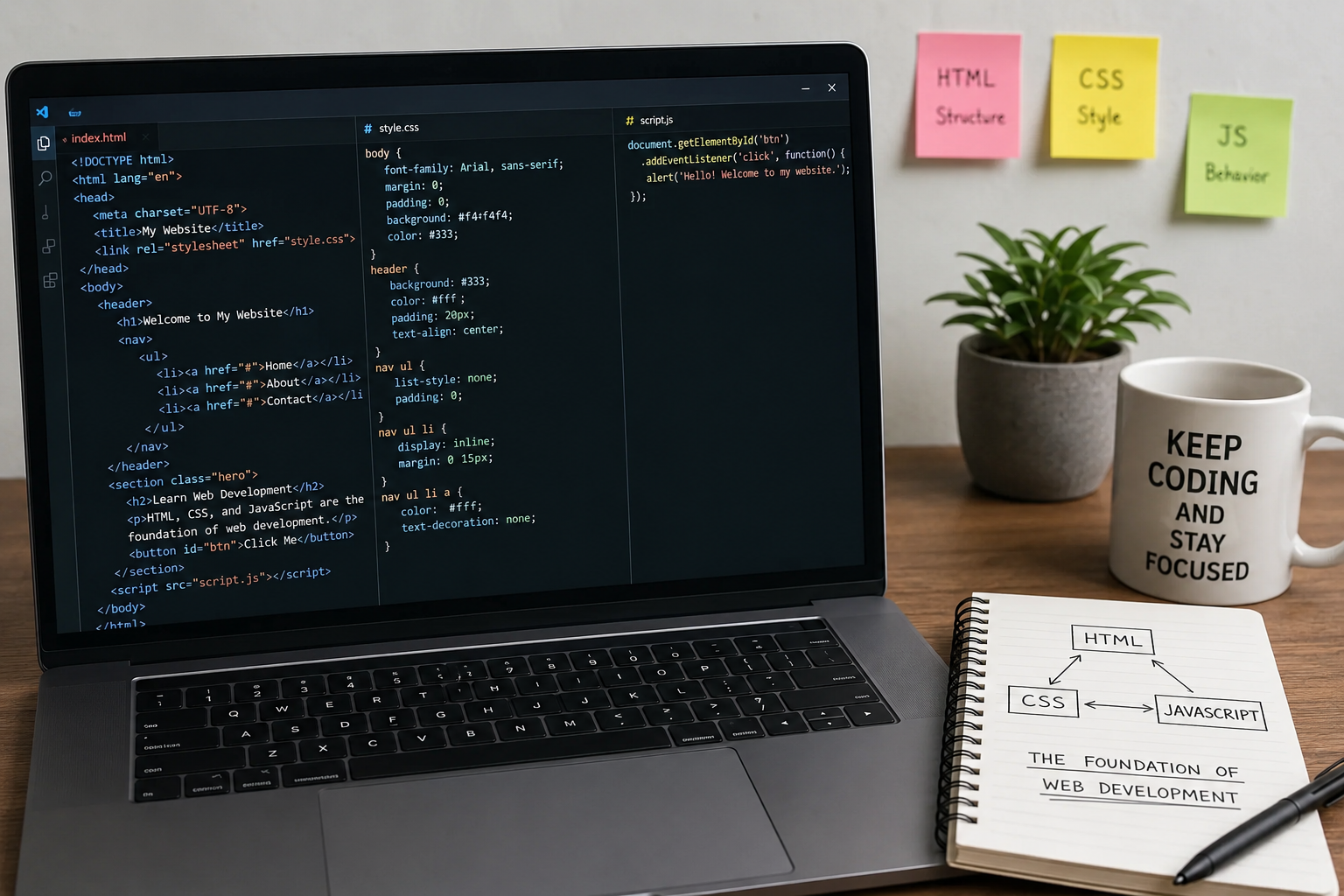
When I first became interested in web development, I honestly thought building a website was much more complicated than it actually is. Every website I visited looked so polished that I assumed only experienced programmers could create them. But once I started learning, I realized that almost every website begins with three core technologies: HTML, CSS, and JavaScript. These three languages work together like a team, and understanding them completely changed the way I looked at the internet.
At the beginning, I focused on learning one language at a time instead of trying to master everything at once. That approach made the journey much easier. The more I practiced, the more I understood how each technology has its own responsibility. HTML provides the structure, CSS controls the appearance, and JavaScript adds interactivity. Without any one of these, modern websites would not feel complete.
In this article, I want to share my experience with these three technologies and explain why they are considered the foundation of web development.
Understanding HTML
The first language I learned was HTML, which stands for HyperText Markup Language. At first glance, it looked strange because it was filled with tags instead of traditional programming syntax. However, after building my first simple webpage, everything started making sense.
HTML is responsible for creating the structure of a webpage. It tells the browser what content should appear on the page. Every heading, paragraph, image, table, button, form, and link begins with HTML.
I like to compare HTML to the foundation of a house. Before decorating or adding furniture, the house needs walls, rooms, and doors. Similarly, before making a webpage beautiful or interactive, it first needs a proper structure.
When I created my first webpage, it only contained a heading, a few paragraphs, and an image. It looked very plain, but I was excited because I understood that I had created something from scratch.
Learning HTML also introduced me to semantic elements. Instead of using generic containers everywhere, I learned to use meaningful tags like header, main, article, section, footer, and nav. These elements help browsers and search engines understand the purpose of different parts of a webpage.
The more HTML I wrote, the easier it became to organize content in a clean and readable way.
Why HTML Matters
Many beginners underestimate HTML because it does not include advanced programming concepts. I made the same mistake in the beginning.
After working on several websites, I realized that good HTML makes everything easier. Well structured pages improve accessibility, help search engines understand content, and make future updates much simpler.
Even the most visually attractive website cannot exist without HTML because it provides the framework for everything else.
Learning CSS
After becoming comfortable with HTML, I moved on to CSS, which stands for Cascading Style Sheets.
This was the point where web development became exciting for me.
Before learning CSS, every webpage I created looked like a plain document with black text on a white background. Once I discovered CSS, I could change colors, fonts, layouts, spacing, animations, and much more.
It felt like I had gone from building simple wireframes to creating professional looking websites.
CSS controls the visual appearance of HTML elements.
With CSS, I learned how to choose attractive color combinations, improve typography, create responsive layouts, and design pages that looked clean on different screen sizes.
One of my favorite moments was creating my first navigation menu with hover effects. It was a simple feature, but seeing buttons change color when I moved the mouse over them made the website feel much more professional.
Making Websites Responsive
One lesson I learned very quickly was that websites do not only run on desktop computers.
People use smartphones, tablets, laptops, and large monitors every day.
Early in my learning journey, one of my websites looked perfect on my computer but completely broke on my phone.
That experience taught me the importance of responsive web design.
Using CSS media queries, flexible layouts, and percentage based widths, I learned how to create websites that automatically adjust to different screen sizes.
Responsive design has now become a standard practice rather than an optional feature.
Whenever I build a webpage today, I always check how it looks on multiple devices before considering it complete.
Understanding JavaScript
Once I felt comfortable with HTML and CSS, I finally started learning JavaScript.
This was the most challenging part of my journey because JavaScript is a real programming language rather than just a markup or styling language.
At first, variables, functions, conditions, loops, and events seemed confusing.
However, after writing small projects every day, everything slowly became easier to understand.
JavaScript allows websites to respond to user actions.
Without JavaScript, websites would mostly display static information.
With JavaScript, websites become interactive.
Buttons can perform actions.
Forms can validate user input.
Menus can open and close.
Images can slide automatically.
Calculators can perform calculations instantly.
Games can run directly inside the browser.
These features completely changed how I viewed web development.
My First JavaScript Project
My first JavaScript project was a simple digital calculator.
The design itself was created using HTML and CSS, but JavaScript made the buttons actually perform calculations.
Although the calculator was very basic, building it gave me confidence because I finally understood how programming logic could interact with webpage elements.
From there, I started experimenting with countdown timers, image sliders, to do lists, weather applications, and small games.
Every project introduced me to new JavaScript concepts while improving my confidence.
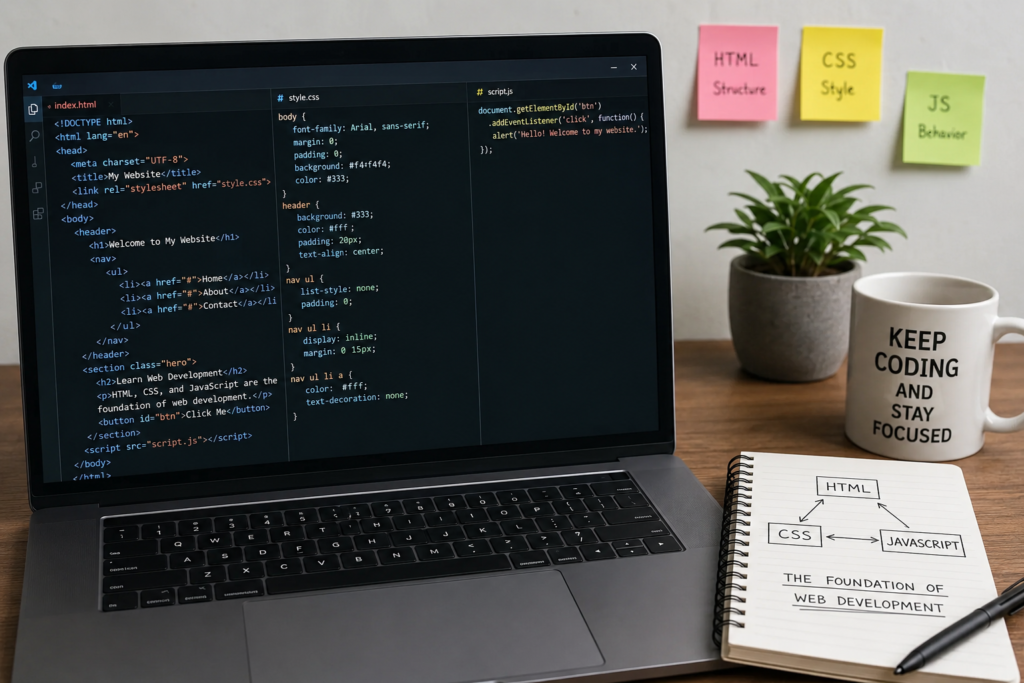
How HTML, CSS, and JavaScript Work Together
One thing that confused me in the beginning was understanding how these three technologies connect.
Eventually, I realized that each one has a completely different responsibility.
HTML creates the content.
CSS makes the content visually attractive.
JavaScript makes the content interactive.
Imagine building a car.
HTML is the frame and engine.
CSS is the paint, seats, and overall appearance.
JavaScript is what allows the car to start, accelerate, and respond to the driver’s actions.
None of them can fully replace the others.
When combined, they create the complete experience users expect from modern websites.
The Importance of Practice
Reading tutorials helped me understand concepts, but real learning happened when I started building projects.
At first, I copied small examples from tutorials.
Later, I began changing colors, layouts, and functionality on my own.
Eventually, I reached the point where I could build entire webpages without constantly checking documentation.
Every mistake taught me something valuable.
Sometimes my CSS refused to work because I misspelled a class name.
Other times my JavaScript stopped running because I forgot a bracket or semicolon.
Although these mistakes were frustrating, fixing them helped me become a better developer.
Common Beginner Mistakes
Looking back, I made many mistakes during my learning journey.
One mistake was trying to memorize everything.
Instead of understanding concepts, I initially focused on remembering syntax.
Eventually, I realized that professional developers regularly use documentation because nobody remembers every detail.
Another mistake was jumping into advanced frameworks too early.
I wanted to learn React before fully understanding JavaScript.
Later, I realized that having strong fundamentals makes learning advanced technologies much easier.
I also underestimated the importance of writing clean code.
As my projects became larger, organized code saved me countless hours during debugging.
Building Real Projects
The biggest improvement in my skills happened when I stopped creating isolated practice exercises and started building complete websites.
I created personal portfolios.
I designed business landing pages.
I built blog layouts.
I experimented with online stores.
I developed interactive forms.
Every completed project strengthened my understanding of HTML, CSS, and JavaScript.
Each new project also introduced fresh challenges that forced me to learn new techniques.
Why These Technologies Remain Important
Every year, new frameworks and libraries become popular.
React, Vue, Angular, Next.js, and many others continue to evolve.
Despite all these modern tools, HTML, CSS, and JavaScript remain the foundation.
Every framework still depends on these core technologies.
Whenever I encounter a problem in a framework, understanding the underlying HTML, CSS, and JavaScript helps me solve it much faster.
That is why experienced developers always recommend mastering the basics before moving on to advanced tools.
Career Opportunities
Learning these three technologies opens many career opportunities.
A beginner can become a front end developer by mastering HTML, CSS, and JavaScript.
With additional learning, developers can move into full stack development, mobile application development, UI engineering, or software engineering.
Freelancing opportunities are also abundant because businesses constantly need websites.
Even basic websites built with these technologies can provide valuable experience and income for beginners.
As skills improve, developers can work on larger projects with higher budgets and greater responsibilities.
Tips That Helped Me Learn Faster
One habit that helped me the most was practicing every day, even if only for an hour.
Consistency produced better results than studying for long hours once a week.
I also learned to recreate websites that I admired.
Instead of simply reading tutorials, I tried copying layouts from real websites.
This challenged me to think like a developer rather than just following instructions.
Debugging became another valuable learning tool.
Whenever something broke, I resisted the urge to immediately search for the solution.
Instead, I carefully examined my code to understand what went wrong.
That habit significantly improved my problem solving skills.
Finally, I learned not to fear mistakes.
Every experienced developer has written broken code.
The difference is that experienced developers know how to identify problems and fix them patiently.
Conclusion
Looking back, learning HTML, CSS, and JavaScript was one of the best decisions I have made. At first, the process felt overwhelming because everything was new, but taking one step at a time made it manageable. Each small project increased my confidence, and every mistake became an opportunity to improve.
Today, whenever I open a website, I naturally think about how HTML structures the content, how CSS shapes its appearance, and how JavaScript brings it to life. Understanding these technologies has given me a much deeper appreciation for the web and the work that goes into creating modern digital experiences.
If you are just starting your web development journey, my advice is simple. Do not rush to learn every new framework or trend. Build a strong foundation with HTML, CSS, and JavaScript first. Practice regularly, create real projects, and stay curious. The more you build, the more confident you will become. These three technologies are not just the beginning of web development. They are the skills that continue to support every successful web developer throughout their career.