Introduction
A few years ago, I used to save almost everything on my computer. My documents, family photos, work files, and even backup folders were all stored on a single hard drive. At that time, I thought that was the safest option. Then one day my computer suddenly stopped working, and I realized how risky it was to depend on one device. Recovering my files was expensive, and I still lost some important data. That experience completely changed the way I think about storing information.
When I started exploring cloud computing, I was honestly surprised by how simple it made everything. Instead of worrying about carrying files on a USB drive or emailing documents to myself, I could access everything from anywhere with an internet connection. Over time, I also discovered that cloud computing is much more than online storage. It has become the backbone of modern businesses, education, healthcare, entertainment, and even our daily personal lives.
In this article, I want to explain cloud computing in simple words based on what I have learned and experienced. I will also share its biggest benefits and the challenges that every individual and business should understand before relying on cloud services.
What Is Cloud Computing?
Cloud computing is the delivery of computing services over the internet. Instead of storing data or running software on your own computer, you use remote servers managed by a cloud provider.
The easiest way I explain cloud computing is by comparing it to electricity. We do not generate electricity in our homes because we simply connect to a power grid whenever we need it. Cloud computing works in a similar way. Instead of buying expensive servers and maintaining them yourself, you use computing resources whenever you need them.
Whenever I upload photos to Google Photos, edit documents online, or stream movies from Netflix, I am using cloud computing. The same technology also powers thousands of business applications around the world.
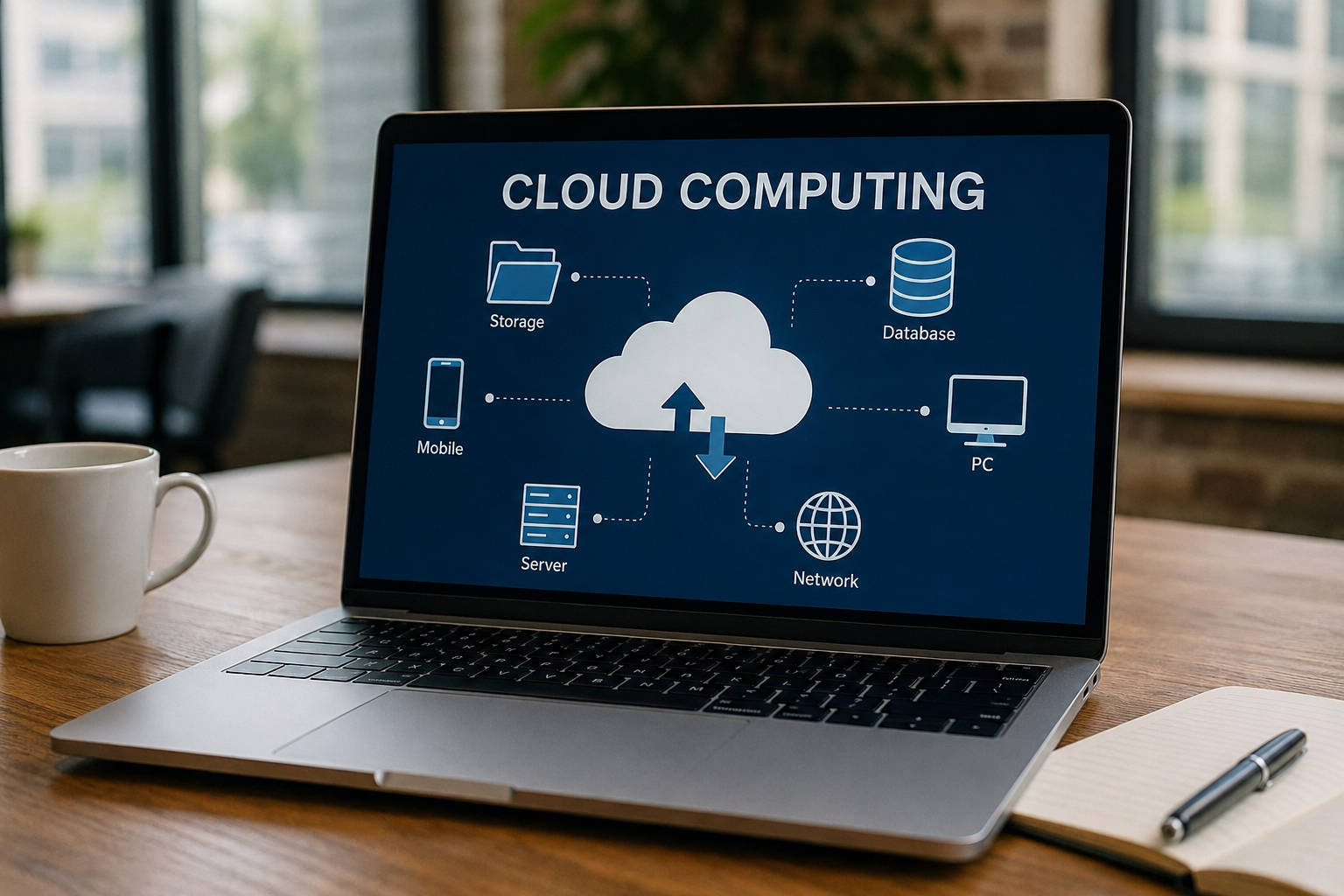
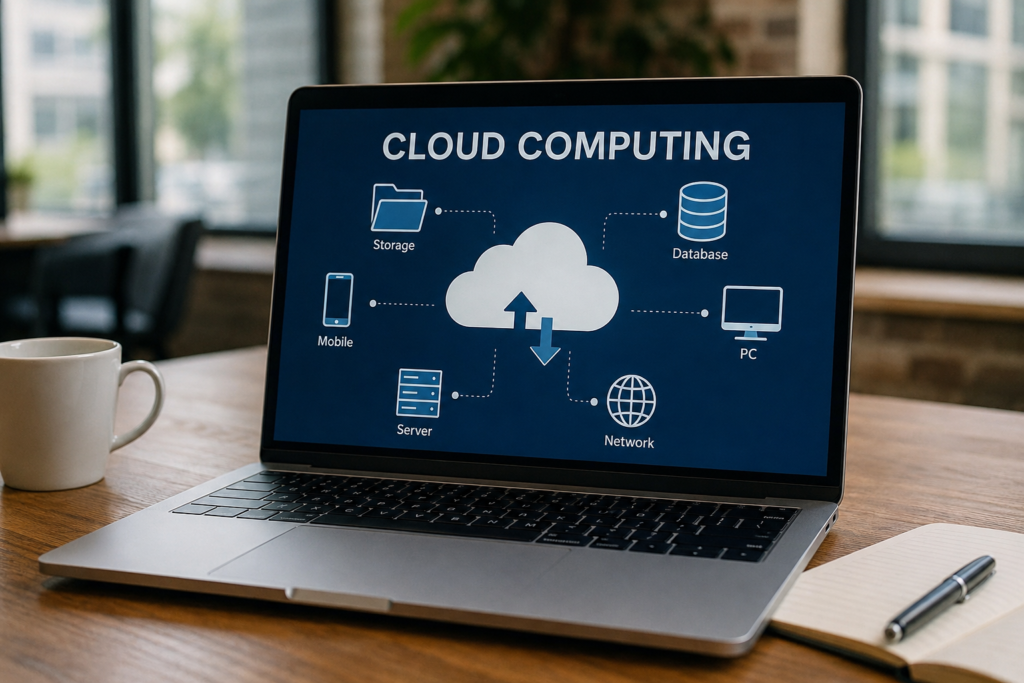
Cloud computing includes storage, databases, software, networking, artificial intelligence, security services, and much more. Everything is delivered through the internet without requiring users to own expensive hardware.
How Cloud Computing Works
When I first heard about cloud computing, I imagined that my files were floating somewhere in the sky. Of course, that is not how it actually works.
Cloud providers own massive data centers filled with powerful servers. These servers are connected to the internet and store enormous amounts of information. Whenever I log into my account, the requested data is sent from those servers to my device within seconds.
The cloud provider is responsible for maintaining the hardware, updating the software, protecting the servers, and ensuring everything keeps running smoothly.
As a user, I only need a device and an internet connection. Everything else happens behind the scenes.
Types of Cloud Computing
There are several types of cloud computing, each designed for different needs.
Public Cloud
This is the most common type of cloud service. Companies like Amazon Web Services, Microsoft Azure, and Google Cloud provide computing resources that anyone can use.
Many businesses choose the public cloud because it is affordable, flexible, and easy to scale.
Private Cloud
A private cloud is dedicated to a single organization. Large businesses often use private clouds when they need greater control over security and sensitive information.
Although private clouds offer more customization, they are generally more expensive than public cloud solutions.
Hybrid Cloud
Hybrid cloud combines both public and private cloud environments.
I think this approach gives organizations the best of both worlds. Sensitive information can stay in the private cloud while less critical applications run in the public cloud.
Many large organizations use hybrid cloud solutions because they offer flexibility without sacrificing security.
Common Cloud Service Models
Cloud services are usually divided into three main categories.
Software as a Service
This model allows users to access software through a web browser.
Examples include Gmail, Microsoft 365, Dropbox, Zoom, and Canva.
I personally like this model because I never have to worry about installing updates or purchasing expensive software licenses.
Platform as a Service
This model provides developers with tools for building and testing applications.
Instead of managing servers, developers can focus entirely on writing code.
Infrastructure as a Service
This service provides virtual servers, storage, and networking resources.
Businesses rent computing infrastructure instead of buying expensive physical hardware.
This model offers maximum flexibility while reducing hardware costs.
Benefits of Cloud Computing
Cloud computing offers many advantages that have changed the way individuals and businesses work.
Easy Access from Anywhere
This is probably my favorite benefit.
Whether I am using my laptop, smartphone, or tablet, I can access my files within seconds.
I no longer worry about carrying storage devices or transferring documents between computers.
This flexibility has made remote work much easier than ever before.
Cost Savings
Buying powerful servers, networking equipment, and storage systems requires a significant investment.
Cloud computing removes much of that financial burden.
Businesses only pay for the resources they actually use.
This pay as you go model helps startups and small companies compete without spending huge amounts of money upfront.
Automatic Updates
I used to spend a lot of time installing software updates manually.
Cloud services now handle most updates automatically.
This means users always have access to the latest features and security improvements without extra effort.
Better Collaboration
Cloud computing has transformed teamwork.
Multiple people can work on the same document at the same time from different locations.
I have worked on shared documents where everyone could instantly see updates without sending multiple email attachments.
This improves productivity and reduces confusion.
Improved Data Backup
Before using cloud storage, I constantly worried about losing important files.
Today, my documents are automatically backed up online.
Even if my computer fails, I can recover my files simply by signing into my account.
That level of reliability gives me much greater peace of mind.
Scalability
One thing I admire about cloud computing is how easily it adapts to changing needs.
A growing business can quickly increase storage or computing power without buying new hardware.
Similarly, companies can reduce their usage during slower periods to save money.
This flexibility is difficult to achieve with traditional IT infrastructure.
Strong Security Features
Many cloud providers invest heavily in cybersecurity.
Their services often include data encryption, identity management, threat detection, automatic backups, and continuous monitoring.
Although no system is completely immune to attacks, leading cloud providers usually have stronger security than what many small businesses could build on their own.
Disaster Recovery
Natural disasters, hardware failures, and cyberattacks can happen unexpectedly.
Cloud computing helps organizations recover much faster because important data is stored across multiple secure locations.
This reduces downtime and keeps businesses operating even during emergencies.
Challenges of Cloud Computing
Although cloud computing offers many advantages, it also has some important challenges that should not be ignored.
Internet Dependency
The biggest limitation I have experienced is the need for a reliable internet connection.
Without internet access, many cloud services become difficult or impossible to use.
This can be frustrating while traveling or during network outages.
Privacy Concerns
When data is stored on remote servers, some users naturally worry about privacy.
Even though providers implement strong security measures, sensitive information is still stored outside the user’s direct control.
Organizations handling confidential information must carefully choose trustworthy cloud providers.
Security Risks
Cybercriminals constantly search for vulnerabilities.
Weak passwords, phishing attacks, and stolen login credentials can expose cloud accounts.
This is why I always recommend enabling multi factor authentication and using strong passwords.
User responsibility remains an essential part of cloud security.
Unexpected Costs
Cloud computing often starts out looking inexpensive.
However, costs can increase if businesses use more storage, processing power, or network bandwidth than expected.
Without proper monitoring, monthly expenses can become surprisingly high.
Companies should regularly review their cloud usage to avoid unnecessary spending.
Vendor Lock In
Once an organization builds its systems around a specific cloud provider, moving to another provider can become difficult.
Applications, databases, and storage systems may require significant changes before they can operate elsewhere.
This process can be time consuming and expensive.
Compliance Requirements
Some industries have strict regulations regarding where data can be stored and how it must be protected.
Healthcare, banking, and government organizations often need to follow detailed compliance standards.
Cloud providers usually offer compliance tools, but businesses remain responsible for meeting legal requirements.
Downtime
Even the largest cloud providers occasionally experience service outages.
Although these disruptions are usually temporary, they can still affect businesses that depend entirely on cloud applications.
Planning for backup systems is always a wise decision.
Real Life Examples of Cloud Computing
Cloud computing has become part of everyday life, often without people realizing it.
Whenever I save files in Google Drive, I am using cloud storage.
When I watch movies on Netflix, the content is streamed from cloud servers.
Spotify stores millions of songs in the cloud so users can listen instantly.
Online gaming platforms rely on cloud infrastructure to support millions of players simultaneously.
Businesses use cloud services for customer databases, websites, accounting software, employee communication, and online collaboration.
Universities use cloud platforms for virtual classrooms, assignments, and online learning.
Hospitals rely on secure cloud systems to manage patient records and medical information.
The cloud has become deeply integrated into nearly every industry.
Best Practices for Using Cloud Computing Safely
Through my own experience, I have learned that cloud computing works best when combined with good security habits.
Always create strong and unique passwords for every cloud account.
Enable multi factor authentication whenever it is available.
Keep backup copies of your most important files.
Review account activity regularly to detect suspicious logins.
Only use trusted cloud providers with strong security reputations.
Understand the pricing model before purchasing cloud services.
Train employees to recognize phishing emails and online scams.
These simple habits can significantly reduce security risks.
The Future of Cloud Computing
I believe cloud computing will become even more important in the coming years.
Artificial intelligence, machine learning, big data, and the Internet of Things all depend heavily on cloud infrastructure.
Businesses are continuing to move more applications into the cloud because it offers flexibility, lower costs, and faster innovation.
Edge computing is also becoming more popular by processing data closer to users while still working alongside cloud services.
As internet speeds improve and technology advances, cloud computing will continue transforming how we work, communicate, learn, and entertain ourselves.
For most people, the cloud will become an invisible part of everyday life that simply makes technology faster and more convenient.
Conclusion
Looking back, switching to cloud computing has been one of the smartest technology decisions I have made. It has made my files easier to access, improved collaboration, reduced worries about losing important data, and simplified many everyday tasks. While cloud computing certainly comes with challenges such as internet dependency, privacy concerns, and security risks, I believe the advantages outweigh the disadvantages when it is used responsibly.
The key is understanding both the benefits and the potential risks. Choosing reliable cloud providers, following good cybersecurity practices, and regularly monitoring cloud usage can make the experience much safer and more effective.
Cloud computing is no longer just a trend. It has become an essential part of modern technology that powers businesses, education, healthcare, entertainment, and countless everyday services. As technology continues to evolve, I am confident that cloud computing will remain at the center of digital innovation, helping people work smarter, collaborate better, and access information from virtually anywhere in the world.