Introduction
When I bought my first computer, I honestly did not pay much attention to the type of storage it had. I looked at the processor, RAM, and screen size, but I completely ignored whether it came with an SSD or an HDD. After using that computer for a while, I realized how much storage actually affects everyday performance. Booting Windows took forever, opening large files felt frustrating, and waiting for applications to load became part of my daily routine.
A few years later, I upgraded to a laptop with an SSD, and the difference surprised me. Everything felt faster, smoother, and more responsive. From that moment, I understood why so many people recommend SSDs over traditional hard drives.
If you are planning to buy a new laptop, desktop, or even upgrade your current computer, you have probably come across the question: SSD or HDD? Both have their own strengths and weaknesses, and the best option depends on how you plan to use your device.
In this article, I will share what I have learned from using both storage types and explain the differences in simple language so you can decide which one fits your needs.
What Is an HDD?
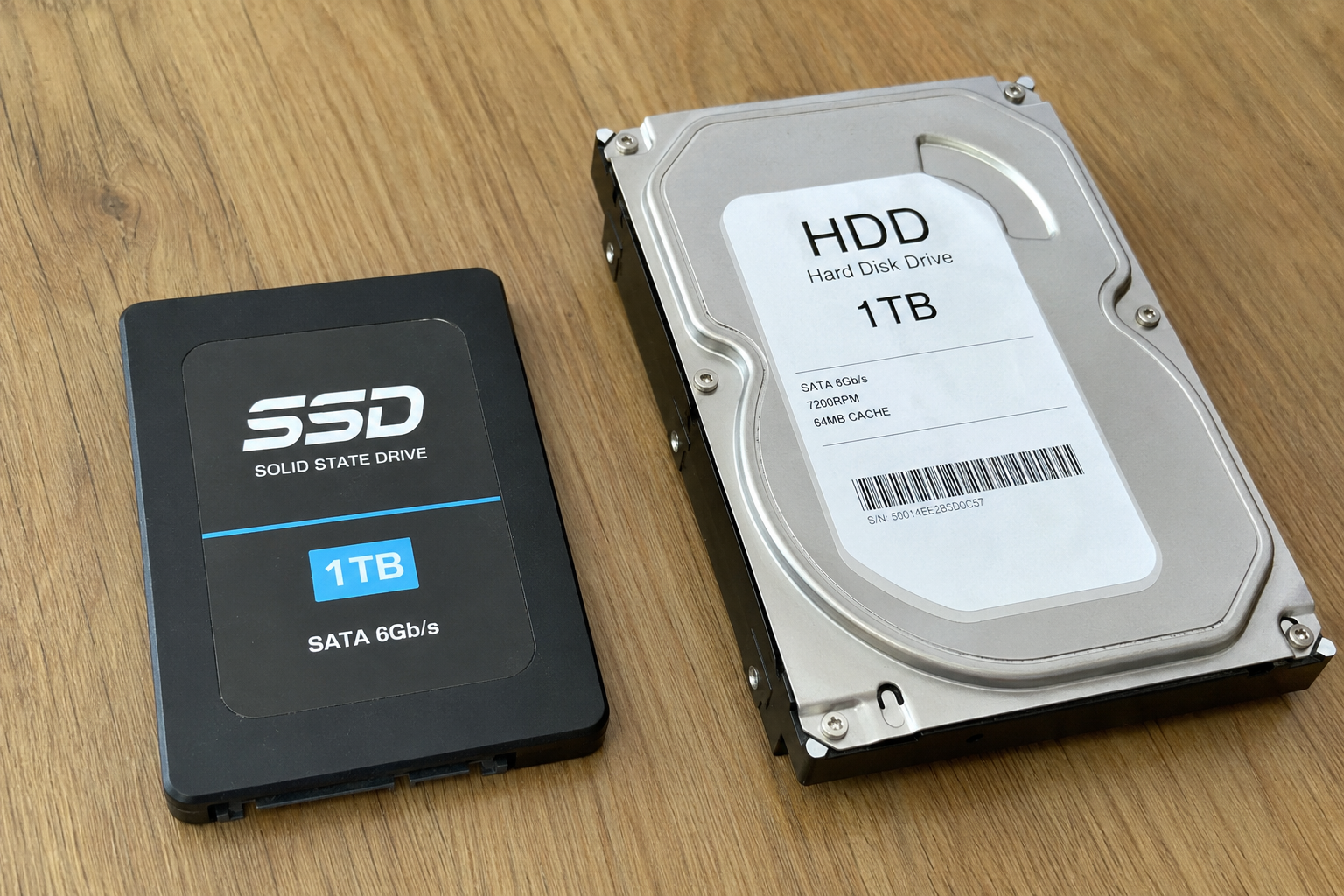
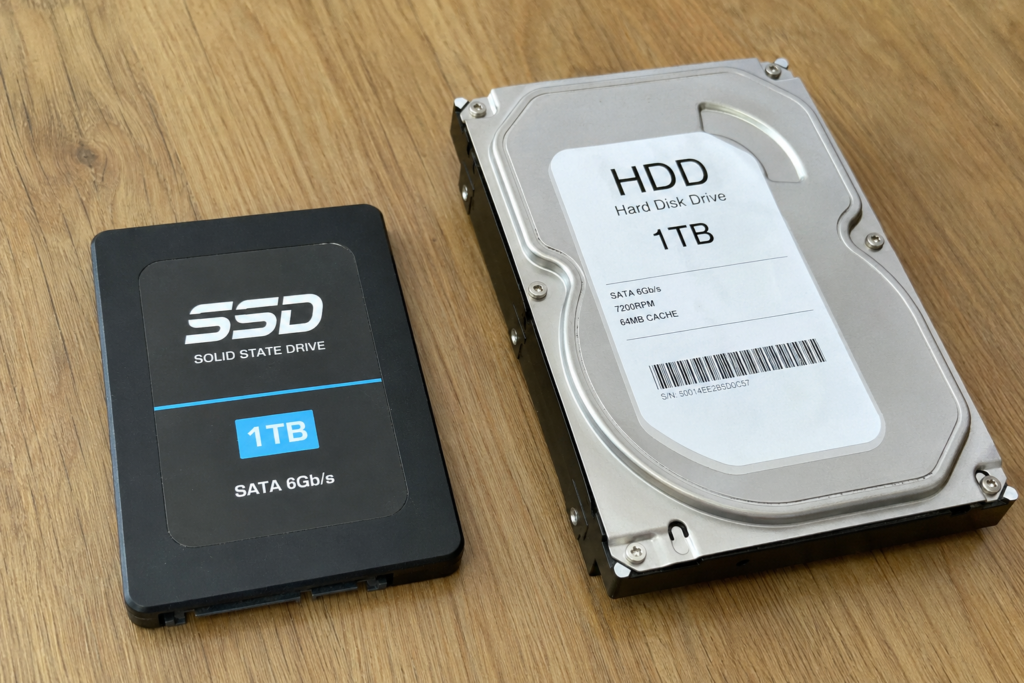
An HDD, which stands for Hard Disk Drive, is the traditional storage device that has been around for decades. It stores data on spinning magnetic disks, also called platters. A mechanical arm moves across these disks to read and write information.
You can think of an HDD like an old record player. Since physical parts have to move every time data is accessed, reading and writing files takes longer compared to modern storage technology.
For many years, HDDs were the standard storage solution in almost every desktop and laptop. Even today, they are still widely used because they offer a lot of storage space at an affordable price.
What Is an SSD?
SSD stands for Solid State Drive. Unlike an HDD, it has no moving parts. Instead, it stores data on flash memory chips similar to the memory used in smartphones and USB drives.
Because there are no spinning disks or moving heads, SSDs can access files almost instantly. This results in much faster boot times, quicker application launches, and smoother overall performance.
The first time I switched from an HDD to an SSD, it honestly felt like I had purchased an entirely new computer. Even though the processor and RAM stayed the same, everything responded much faster.
How SSD and HDD Work
Understanding the difference becomes easier when you know how both drives operate.
An HDD stores files on rotating disks. Whenever you open a file, the disk spins while the read head moves to the correct location. Every operation depends on physical movement.
An SSD works electronically. It can access any stored file immediately without waiting for moving parts. Since there is no mechanical delay, reading and writing data happens much faster.
This basic difference is the reason SSDs outperform HDDs in almost every everyday task.
Speed Comparison
Speed is probably the biggest reason why most people choose SSDs today.
With an HDD, starting Windows can easily take one or two minutes. Large games may require several minutes to load. Copying huge files also takes noticeable time.
An SSD dramatically reduces these waiting periods.
In my own experience, Windows starts within seconds on an SSD. Applications like Photoshop, Microsoft Office, and web browsers open almost instantly. Even software updates finish much faster.
If you multitask frequently or use demanding applications, an SSD saves a surprising amount of time every single day.
Storage Capacity
This is where HDDs still have a major advantage.
Large HDDs with capacities of 2TB, 4TB, or even 8TB are available at reasonable prices. They are ideal for storing massive collections of photos, movies, games, backups, and documents.
Although SSD capacities continue to increase every year, larger SSDs remain more expensive.
For someone who stores hundreds of gigabytes of videos or large media libraries, an HDD can still be a practical option.
Personally, I keep my operating system and software on an SSD while storing older files and backups on an external HDD.
Price Difference
Budget is one of the biggest deciding factors.
HDDs cost much less per gigabyte than SSDs.
For the same amount of money, you can usually buy an HDD with several times more storage than an SSD.
If your budget is limited and storage space matters more than speed, an HDD offers excellent value.
However, SSD prices have dropped significantly over the past few years. What was once considered expensive has become much more affordable, making SSDs accessible to most users.
Durability
One thing I appreciate about SSDs is their durability.
Since SSDs have no moving parts, they are much less likely to be damaged by accidental drops or bumps. This makes them especially suitable for laptops that travel frequently.
HDDs contain delicate mechanical components. If the drive experiences a strong shock while operating, those components may become damaged, leading to data loss.
If you often carry your laptop between work, school, or home, an SSD provides greater peace of mind.
Noise Levels
Many people never think about storage noise until they hear it.
Traditional HDDs produce spinning and clicking sounds while reading or writing data.
These sounds are usually quiet, but they become noticeable in silent environments.
SSDs are completely silent because nothing inside them moves.
After using SSDs for a long time, I actually notice HDD noise whenever I use an older computer.
Power Consumption
Another advantage of SSDs is lower power usage.
Since there are no spinning disks, SSDs require less electricity.
For laptop users, this can slightly improve battery life.
Although the difference may not always be dramatic, every bit of extra battery time is helpful when working away from a charger.
Desktop users may not notice this benefit as much, but laptops definitely gain from SSD efficiency.
Gaming Performance
Many gamers wonder whether an SSD improves gaming.
From my experience, SSDs do not usually increase frame rates because those depend mostly on the processor and graphics card.
However, they significantly reduce loading times.
Games launch faster.
Maps load quicker.
Fast travel becomes nearly instant in many modern games.
Updates also install more quickly.
For anyone who plays large open world games, an SSD makes the overall experience much smoother.
Everyday Performance
The biggest improvement with an SSD comes during normal daily use.
Opening browsers.
Starting office software.
Searching files.
Installing updates.
Launching creative applications.
Everything simply feels more responsive.
This is why many people describe installing an SSD as the single best computer upgrade they have ever made.
I completely agree with that opinion because I experienced the improvement firsthand.
Lifespan
There are many myths about SSD lifespan.
Some people believe SSDs wear out very quickly because flash memory has a limited number of write cycles.
While technically true, modern SSDs are designed to last for many years under normal usage.
For the average home or office user, an SSD will likely remain reliable long before the rest of the computer becomes outdated.
HDDs also fail over time because mechanical parts eventually wear out.
In reality, both storage types can last many years if handled properly.
The most important lesson I have learned is to always keep backups regardless of which storage device you use.
Best Choice for Students
If I were recommending storage to students today, I would almost always suggest an SSD.
Students constantly switch between documents, presentations, browsers, and online classes.
A fast SSD makes studying much more enjoyable because there is less waiting.
Even a 512GB SSD provides enough space for assignments, projects, and everyday software.
Best Choice for Professionals
Professionals who work with video editing, graphic design, programming, or large business applications benefit greatly from SSD performance.
Large projects open faster.
Files save more quickly.
Rendering workflows become smoother.
Time saved every day eventually adds up to many hours throughout the year.
For professionals, investing in a quality SSD often pays for itself through improved productivity.
Best Choice for Gamers
Gamers should also prioritize SSDs whenever possible.
Modern games are becoming larger and increasingly designed with SSD performance in mind.
Although an HDD can still run games, loading screens become much longer.
Many gamers today install frequently played games on an SSD while keeping older titles on an HDD to save money.
I think this combination offers an excellent balance between speed and storage.
Best Choice for Media Storage
If your main goal is storing movies, photos, music, backups, or security camera footage, HDDs remain an excellent option.
Large storage capacity matters much more than extreme speed for these tasks.
This is one situation where an HDD still makes perfect sense.
Can You Use Both Together?
Absolutely.
In fact, this is probably my favorite setup.
Install Windows and all important software on the SSD.
Store videos, downloads, photos, and backup files on the HDD.
This setup combines the speed of an SSD with the affordable storage capacity of an HDD.
Many desktop computers support both drives, allowing users to enjoy the advantages of each.
Common Myths
One common myth is that HDDs are completely outdated.
That is not true.
Millions of people still use HDDs successfully for storage, backups, and media collections.
Another myth is that SSDs never fail.
Like every electronic device, SSDs can also fail unexpectedly.
No storage device is perfect.
That is why maintaining regular backups remains essential regardless of which option you choose.
Which One Should You Buy?
If someone asked me today which storage option I would recommend, my answer would usually be an SSD.
The speed improvement changes the entire experience of using a computer. Everyday tasks become faster, smoother, and much less frustrating.
However, if your budget is limited and you need several terabytes of storage for media files or backups, an HDD still provides outstanding value.
If your budget allows, combining both storage types is even better because you enjoy the advantages of each.
Final Thoughts
After spending years using both HDDs and SSDs, I can confidently say that storage technology has one of the biggest impacts on how a computer feels during everyday use. My first computer with an HDD served me well, but upgrading to an SSD completely changed my expectations. Simple tasks became quicker, software loaded almost instantly, and the entire system felt modern again.
That does not mean HDDs have become useless. They continue to offer incredible storage capacity at affordable prices, making them perfect for backups and large file collections. Still, if I had to choose only one storage device for my main computer today, I would pick an SSD without hesitation.
In the end, the right choice depends on your needs, budget, and the type of work you do. If speed and responsiveness are your priorities, an SSD is the clear winner. If maximum storage at the lowest cost matters more, an HDD remains a smart investment. Understanding the strengths of both options will help you make a decision that keeps your computer running efficiently for years to come.